What's new in GymHub

Every release, newest first: what we added, what we improved and how it works in the app.

Version 1.5.3

Make every exercise yours

Give exercises the names you use at the gym, star the ones you do most, and pick from a bigger library.

Rename any exercise

Tap the pencil on an exercise and give it the name you use at the gym. Only you see it, and it shows everywhere: workouts, templates, history and records.

Star your favorites

Tap the star on an exercise to keep it at the top of the list when you add exercises. The star next to search shows only your favorites.

A bigger exercise library

The library has grown to almost 700 exercises, so you have more to choose from for every session.
Version 1.5.2

Bug fixes

A small update with bug fixes.

Version 1.5.1

Smoother day to day

This update smooths out the day to day.

What's new

  • Exercise videos no longer pause your music.
  • Exercise stats use your full history.
  • Jump back into a workout in progress, with Quick Log when you are not training.
  • Featured Exercise opens your exercise list.
  • A food photo with every item removed now has a clear empty state.

Fixes

  • The Lock Screen rest timer clears when rest ends.
  • Fixes for sheets, the PR Wall and exercise search.
Version 1.5.0

Small habits. Clearer progress.

Log water in one tap, follow your weight as a trend, and keep a daily streak that makes room for rest.

A better view of your training

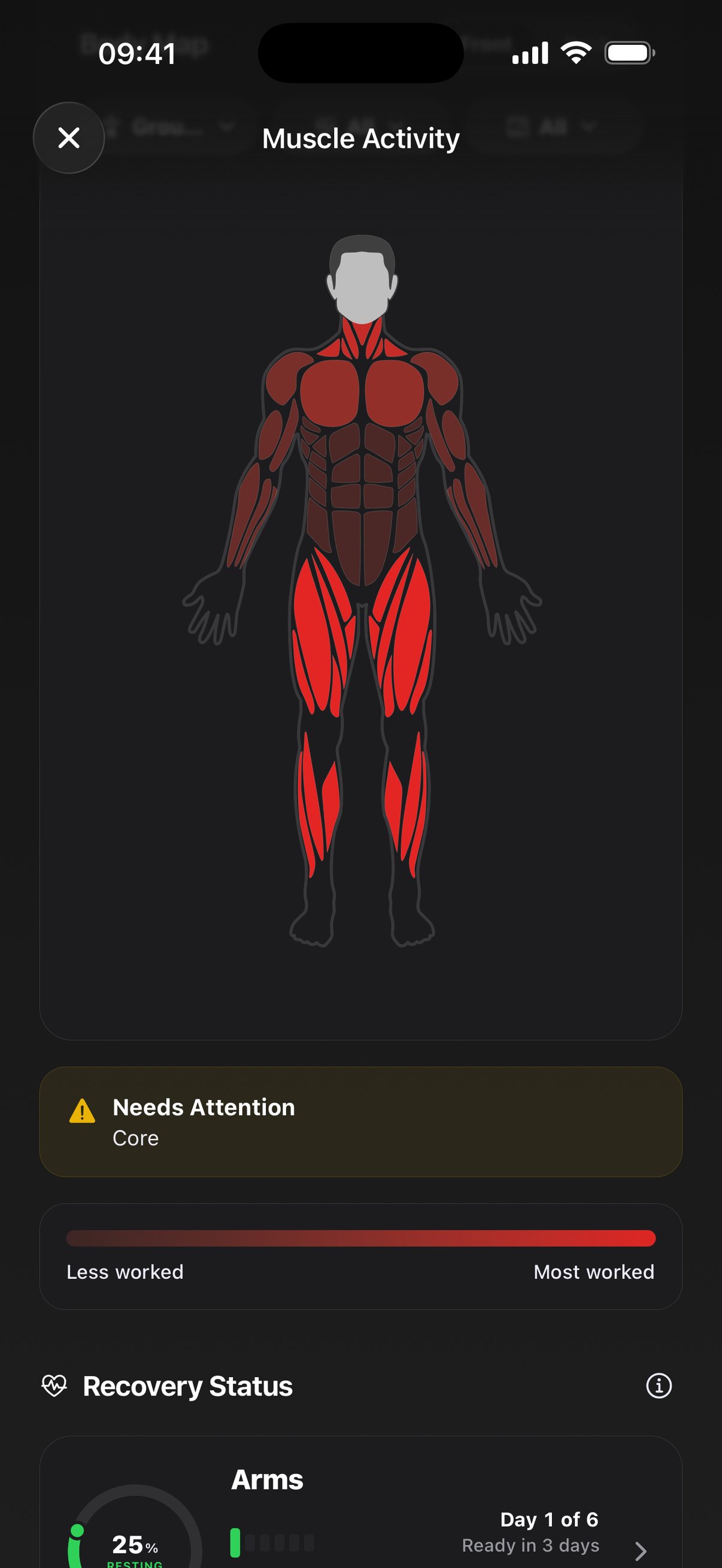
Muscle Activity shows which muscles are ready and how your weekly training volume is spread. Featured Exercise highlights progress on a key lift, and the PR Wall celebrates your latest personal bests.

Muscle Activity in GymHub, with a body map of the muscles trained this week

Log water in one tap

Choose a glass, a bottle or a custom amount. Home shows how close you are to today's goal.

Your weight, as a trend

Log your weigh-ins and follow a smoothed chart that makes the trend easier to spot. With your permission, GymHub can also read weight from Apple Health.

A streak that makes room for rest

Logging a meal, water or a workout keeps your daily streak going. One day off each week won't break it. Forgot to log something? Add it to the missed day to restore your streak.

Version 1.4.1

Bug fixes and improvements

A small update with fixes.

Fixes

  • Home now loads your Apple Health data as soon as you allow access, including right after you create your account.
Version 1.4.0

Plan the week. Keep it going.

Plan your training week, keep a streak that follows your plan, add your own foods and set a target weight.

Build your weekly plan

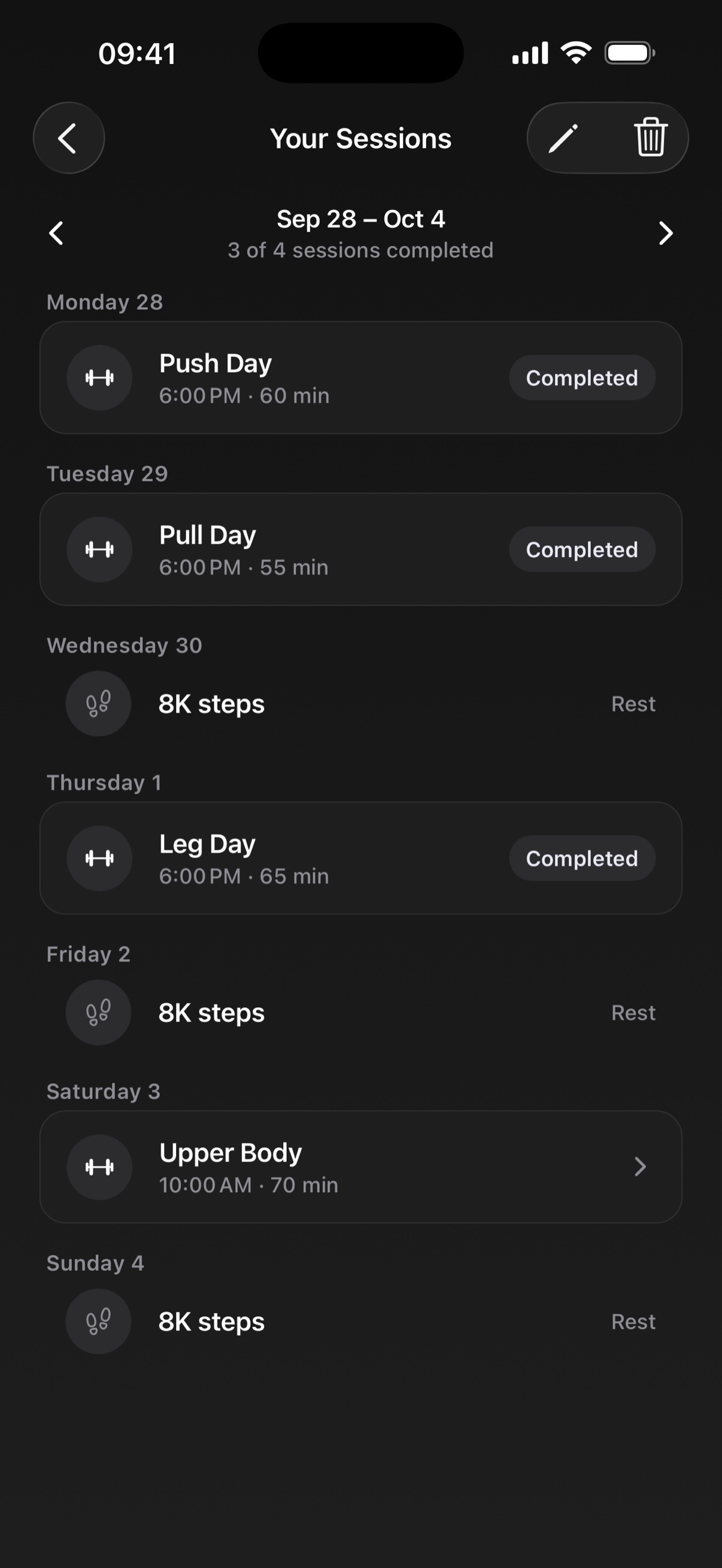
Add your workout templates to the days you train and choose a time for each session. Home shows what's done, what's next and when it's time to rest.

A weekly training plan in GymHub with sessions and rest days

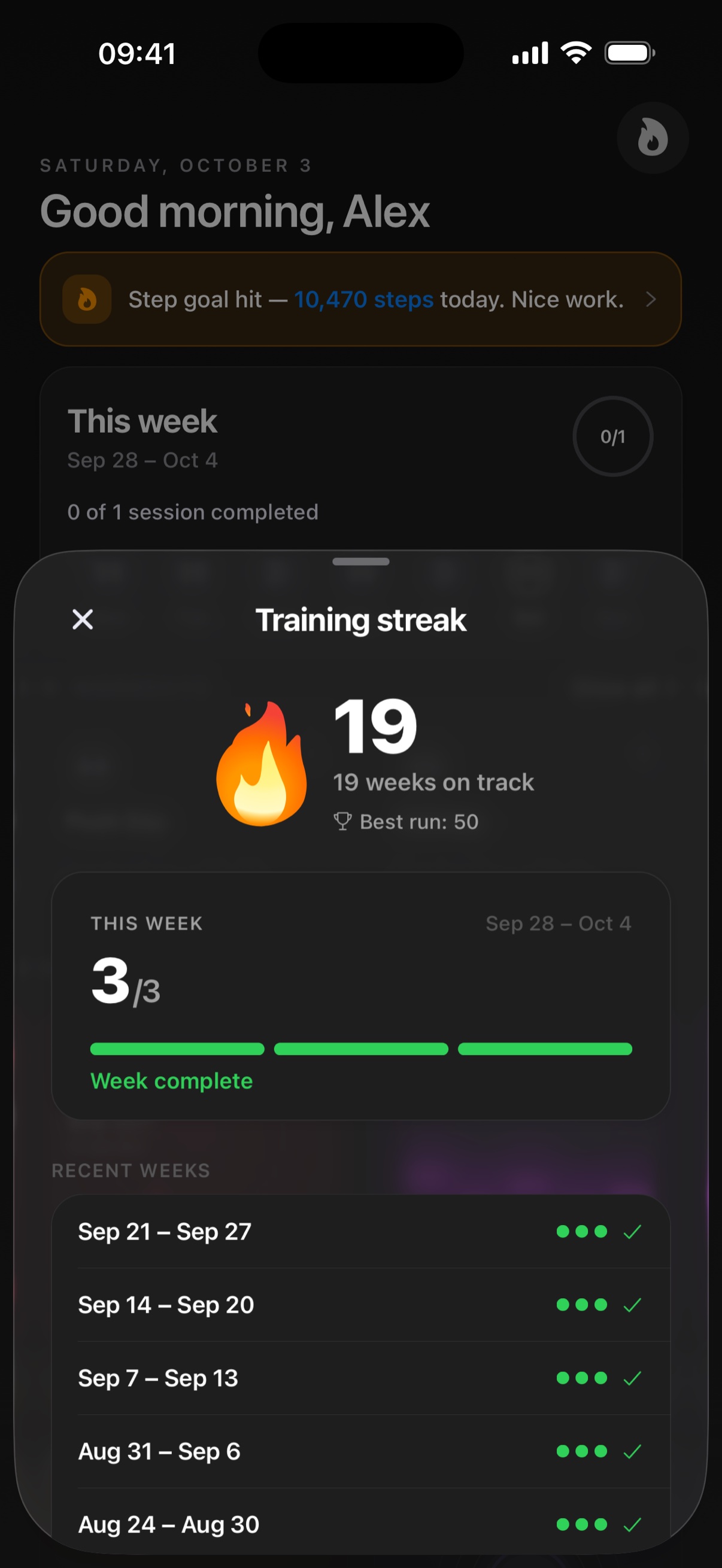
A streak that matches your plan

Your training streak counts successful weeks, not workout days in a row. Complete the sessions you planned for the week and the streak continues. No need to train every day.

The training streak in GymHub, counting weeks on track

Add your own foods

Save homemade meals or foods missing from the catalog, with your own serving sizes and macros. Find them under Own Food when you log a meal.

Set a target weight

Choose your target weight and a weekly pace. GymHub estimates when you could reach your goal and suggests a daily calorie target to get there.

Version 1.3.0

Our biggest training update yet

Timers that keep up with you, supersets, circuits and HIIT, logging without a signal, and a better way to finish and share a workout.

Timers that keep up with you

Rest starts on its own after every set and counts down in the Dynamic Island and on your Lock Screen, with a sound and a notification when it's time to go again. Adjust with -15s and +15s, or set your defaults once. Hold timers handle planks and other isometrics.

Supersets, circuits and HIIT

Link exercises into a superset or circuit and run them round by round. Build interval workouts from Tabata, EMOM, E2MOM, 40/20, 30/30 and 4x4 presets, or set your own work, rest and rounds.

Train without a signal

Sets are saved on your phone as you log them and sync the moment you are back online. If something is still waiting, one tap retries it.

A better way to finish

Rate the session, log how hard it felt and add a note before you save, or skip straight to done. Unmarked sets and unsynced changes get flagged so nothing is lost.

Share your workout

Turn a finished session into a poster with your sets, reps, volume and PRs. Choose a card style, or a transparent overlay built for Stories.

Also new

  • Drag and drop to reorder exercises mid-session.
  • Rate effort per set on a 1 to 10 RPE scale.
  • Duration and distance tracking for cardio and timed work.
  • Faster, steadier widget and Live Activity updates.
Version 1.2.0

More ways to track your progress

New Home Screen widgets, a redesigned Nutrition page and a rebuilt Food AI flow.

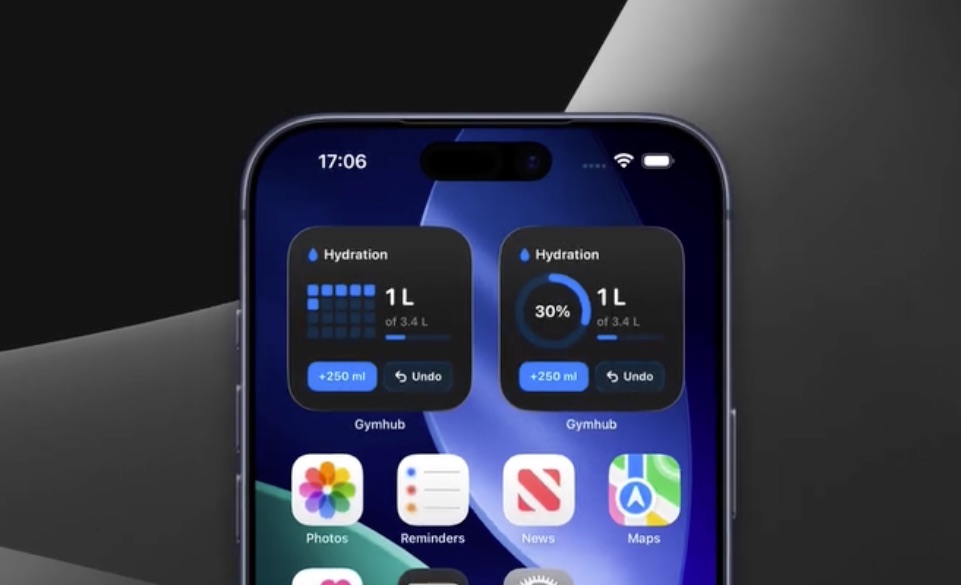
Interactive Home Screen widgets

Log water with a tap and track calories, macros and steps from your Home Screen, without opening the app.

Two GymHub hydration widgets on an iPhone Home Screen

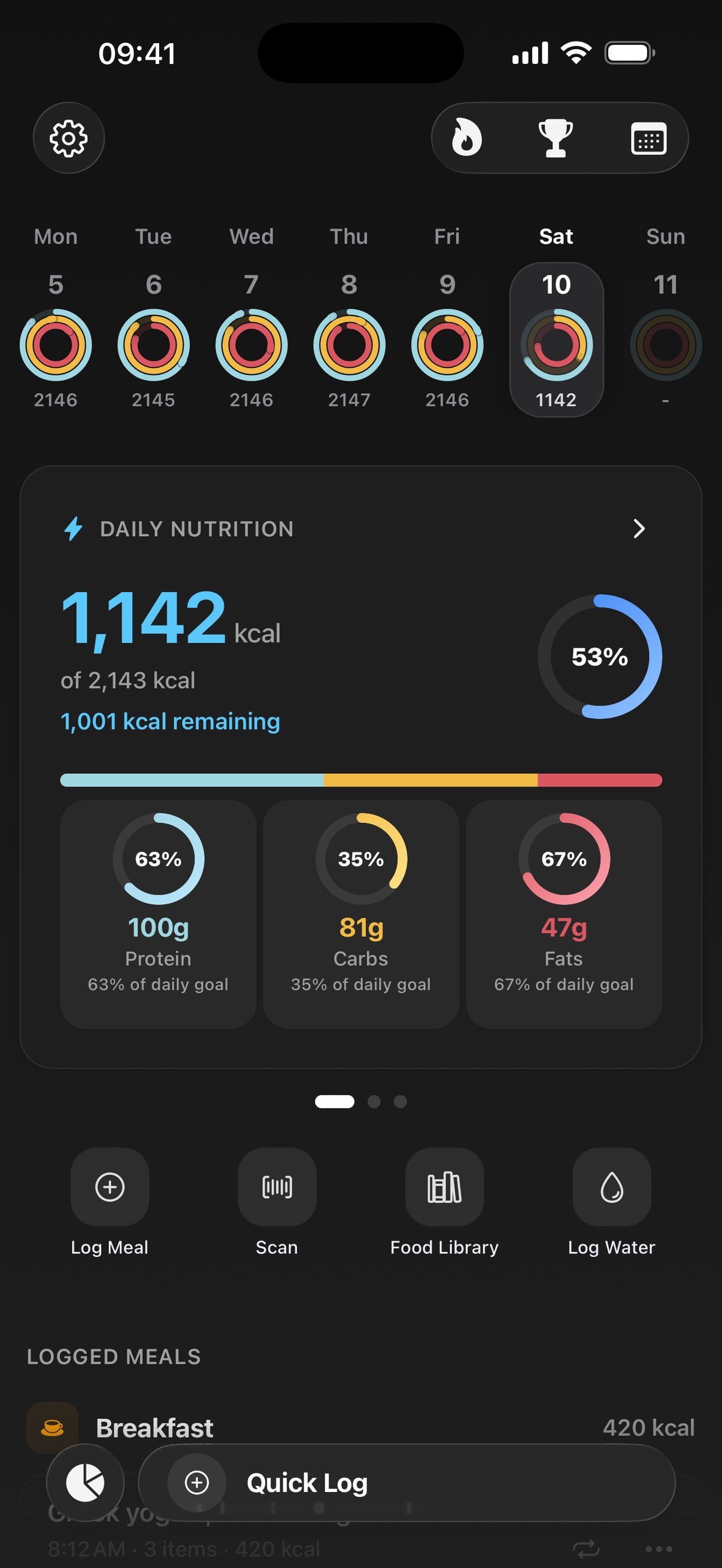
A redesigned Nutrition page

A clearer overview of calories, macros and daily goals, with nutrition rings that animate as you log.

The GymHub Nutrition page with calorie and macro rings

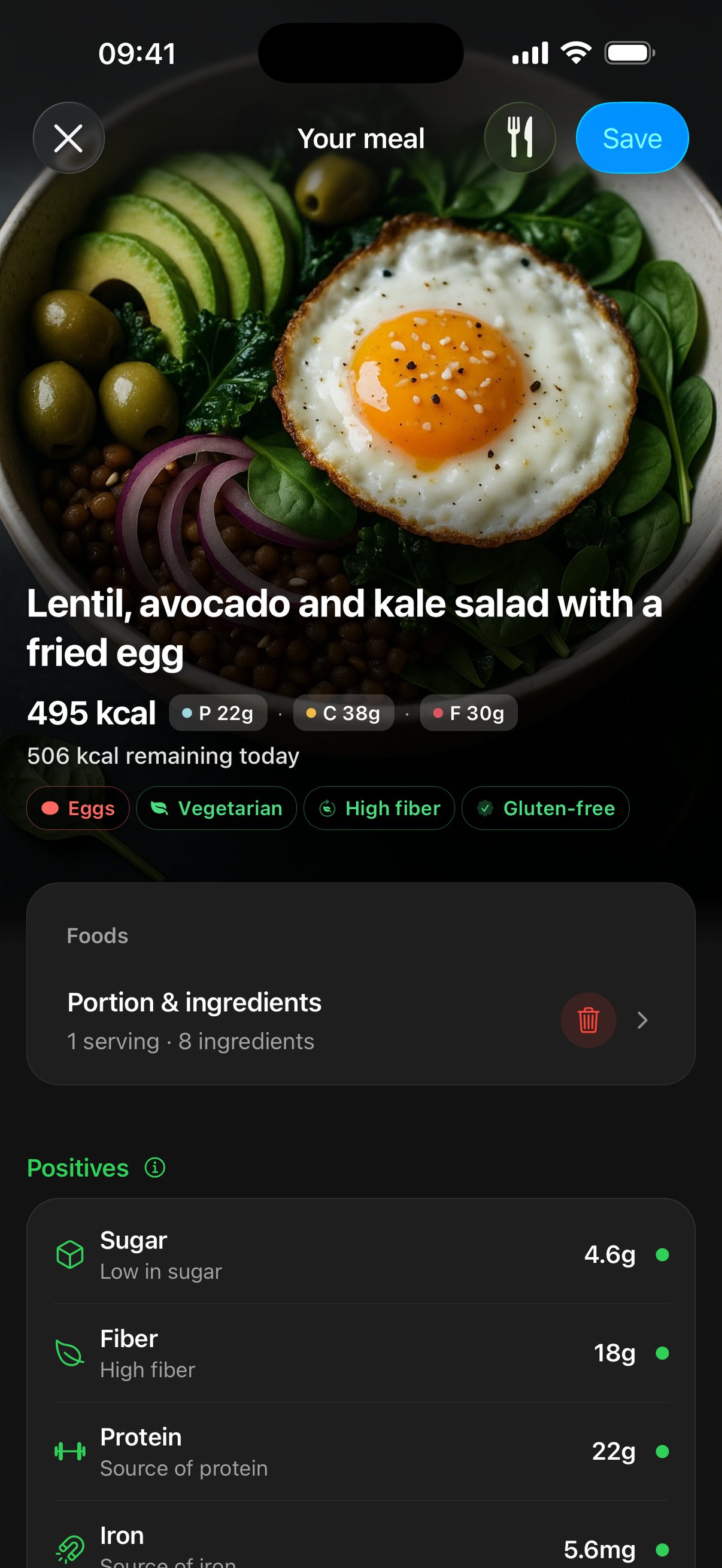
Smarter Food AI

We improved the analysis and rebuilt the Food AI flow: a cleaner design, faster results, and meal photos saved with your log.

A meal analyzed by Food AI in GymHub, with calories and macros

Live step tracking

See your steps update in real time on your widget and dashboard.

Lock Screen widgets

Check calories, steps and daily goals at a glance from your Lock Screen.

Version 1.1.0

Bug fixes

A small update with bug fixes.

Get the latest version

GymHub is free to download on iPhone.

Download on the App Store